


Page 391 - Windows 10 May 2019 Update The Missing Manual: The Book That Should Have Been in the Box
P. 391
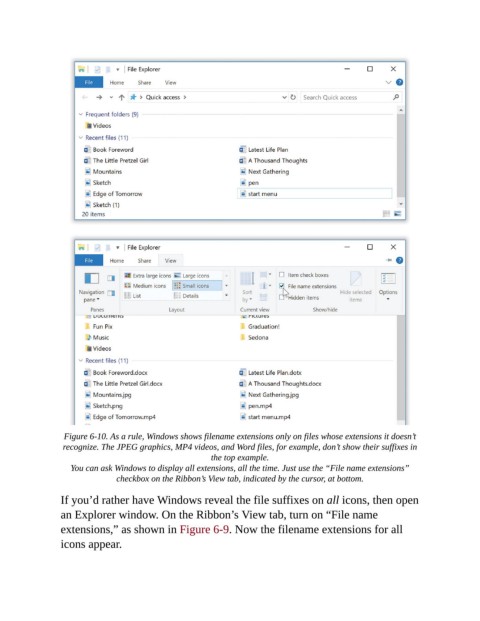
Figure 6-10. As a rule, Windows shows filename extensions only on files whose extensions it doesn’t
                 recognize. The JPEG graphics, MP4 videos, and Word files, for example, don’t show their suffixes in
                                                       the top example.

                   You can ask Windows to display all extensions, all the time. Just use the “File name extensions”
                               checkbox on the Ribbon’s View tab, indicated by the cursor, at bottom.

                If you’d rather have Windows reveal the file suffixes on all icons, then open
                an Explorer window. On the Ribbon’s View tab, turn on “File name
                extensions,” as shown in Figure 6-9. Now the filename extensions for all

                icons appear.

