


Page 394 - Windows 10 May 2019 Update The Missing Manual: The Book That Should Have Been in the Box
P. 394
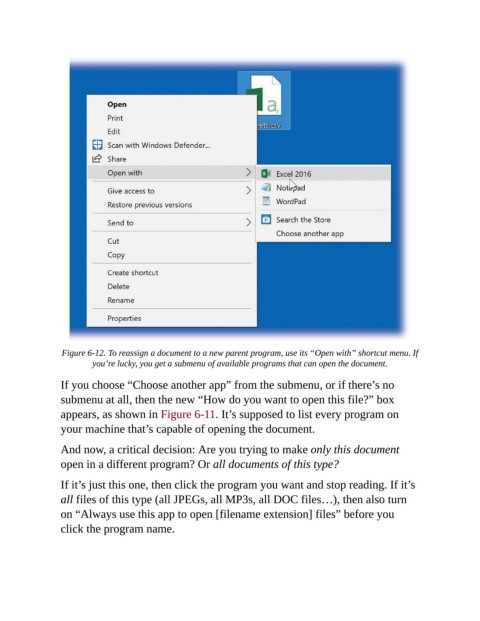
Figure 6-12. To reassign a document to a new parent program, use its “Open with” shortcut menu. If
                         you’re lucky, you get a submenu of available programs that can open the document.

                If you choose “Choose another app” from the submenu, or if there’s no

                submenu at all, then the new “How do you want to open this file?” box
                appears, as shown in Figure 6-11. It’s supposed to list every program on
                your machine that’s capable of opening the document.


                And now, a critical decision: Are you trying to make only this document
                open in a different program? Or all documents of this type?

                If it’s just this one, then click the program you want and stop reading. If it’s

                all files of this type (all JPEGs, all MP3s, all DOC files…), then also turn
                on “Always use this app to open [filename extension] files” before you
                click the program name.

