


Page 38 - 18-868 SEO PowerSuite Workflow_VPMGC
P. 38
SEO Workflow


               The main aspects to pay attention to are proper indexing instructions in your

               robots.txt file and proper pages response codes.


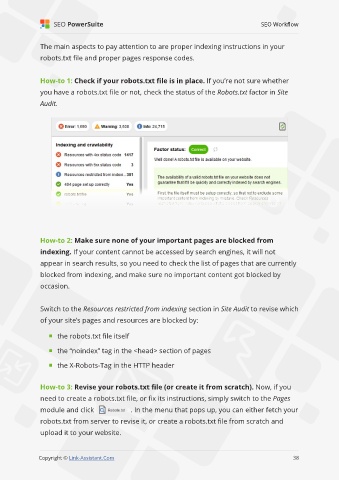
               How-to 1: Check if your robots.txt file is in place. If you’re not sure whether
               you have a robots.txt file or not, check the status of the Robots.txt factor in Site

               Audit.


               How-to 2: Make sure none of your important pages are blocked from
               indexing. If your content cannot be accessed by search engines, it will not

               appear in search results, so you need to check the list of pages that are currently
               blocked from indexing, and make sure no important content got blocked by

               occasion.


               Switch to the Resources restricted from indexing section in Site Audit to revise which
               of your site’s pages and resources are blocked by:


                     the robots.txt file itself

                     the “noindex” tag in the <head> section of pages

                     the X-Robots-Tag in the HTTP header


               How-to 3: Revise your robots.txt file (or create it from scratch). Now, if you
               need to create a robots.txt file, or fix its instructions, simply switch to the Pages

               module and click                . In the menu that pops up, you can either fetch your
               robots.txt from server to revise it, or create a robots.txt file from scratch and

               upload it to your website.

                                                                                                             38

               Copyright © Link-Assistant.Com                                                           38

