


Page 33 - 18-868 SEO PowerSuite Workflow_VPMGC
P. 33
SEO Workflow


                   Step 7: Check the rankings


               Now that you’re done with the prep, you can (finally!) start what you came here
               for (just to remind you: that’s tracking your site’s positions in search engines).


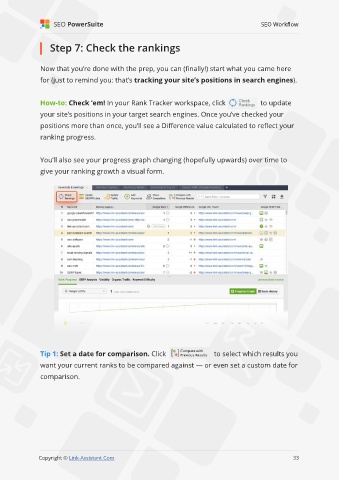
               How-to: Check ‘em! In your Rank Tracker workspace, click                      to update
               your site’s positions in your target search engines. Once you’ve checked your
               positions more than once, you’ll see a Difference value calculated to reflect your

               ranking progress.


               You’ll also see your progress graph changing (hopefully upwards) over time to
               give your ranking growth a visual form.


               Tip 1: Set a date for comparison. Click                       to select which results you

               want your current ranks to be compared against — or even set a custom date for

               comparison.


                                                                                                             33

               Copyright © Link-Assistant.Com                                                           33

