


Page 7 - 18-868 SEO PowerSuite Workflow_VPMGC
P. 7
SEO Workflow


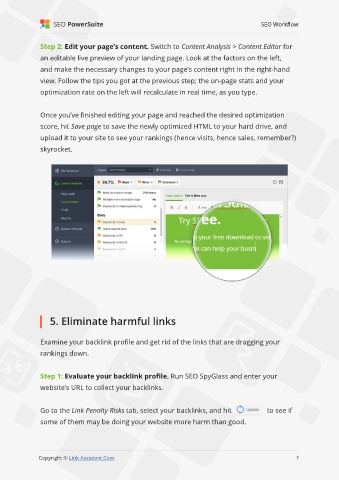
               Step 2: Edit your page’s content. Switch to Content Analysis > Content Editor for

               an editable live preview of your landing page. Look at the factors on the left,
               and make the necessary changes to your page’s content right in the right-hand

               view. Follow the tips you got at the previous step; the on-page stats and your
               optimization rate on the left will recalculate in real time, as you type.


               Once you’ve finished editing your page and reached the desired optimization

               score, hit Save page to save the newly optimized HTML to your hard drive, and
               upload it to your site to see your rankings (hence visits, hence sales, remember?)

               skyrocket.


                   5. Eliminate harmful links


               Examine your backlink profile and get rid of the links that are dragging your
               rankings down.


               Step 1: Evaluate your backlink profile. Run SEO SpyGlass and enter your

               website’s URL to collect your backlinks.


               Go to the Link Penalty Risks tab, select your backlinks, and hit                 to see if
               some of them may be doing your website more harm than good.


                                                                                                              7

               Copyright © Link-Assistant.Com                                                            7

