


Page 8 - 18-868 SEO PowerSuite Workflow_VPMGC
P. 8
SEO Workflow


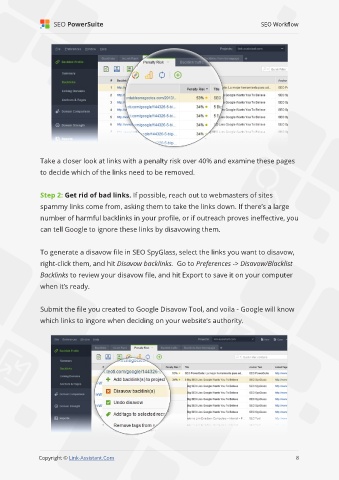
               Take a closer look at links with a penalty risk over 40% and examine these pages

               to decide which of the links need to be removed.


               Step 2: Get rid of bad links. If possible, reach out to webmasters of sites
               spammy links come from, asking them to take the links down. If there’s a large

               number of harmful backlinks in your profile, or if outreach proves ineffective, you
               can tell Google to ignore these links by disavowing them.


               To generate a disavow file in SEO SpyGlass, select the links you want to disavow,

               right-click them, and hit Disavow backlinks.  Go to Preferences -> Disavow/Blacklist
               Backlinks to review your disavow file, and hit Export to save it on your computer

               when it’s ready.


               Submit the file you created to Google Disavow Tool, and voila - Google will know
               which links to ingore when deciding on your website’s authority.


                                                                                                              8

               Copyright © Link-Assistant.Com                                                            8

