


Page 82 - 18-868 SEO PowerSuite Workflow_VPMGC
P. 82
SEO Workflow


               a couple of spammy links, you can easily do that by composing a personal email

               for each of the webmasters — but if we’re talking about dozens or hundreds of
               harmful backlinks, you may want to create an email template requesting link

               removal. In either case, make sure you introduce yourself in your email, mention
               your position (e.g. SEO or site owner), explain that you are trying to prevent (or

               recover from) a search engine penalty and would appreciate it if the link was
               removed, specifying the URL of the page you found the link on.


                   Step 7: Disavow spammy backlinks you’re unable

                   to remove


               If you have a large number of spammy links to your site, or if you don’t hear
               back from the webmasters you contacted asking to remove the links, you can

               tell Google to ignore these links by disavowing them. You can easily generate a
               disavow file right in SEO SpyGlass.


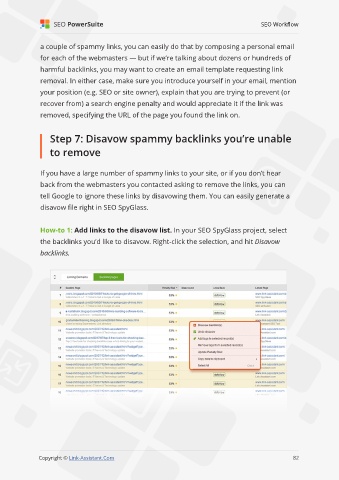
               How-to 1: Add links to the disavow list. In your SEO SpyGlass project, select

               the backlinks you’d like to disavow. Right-click the selection, and hit Disavow
               backlinks.


                                                                                                             82

               Copyright © Link-Assistant.Com                                                           82

