


Page 49 - MercNET User's Guide
P. 49
2.  Choose the Product Line you want to display from the drip down menu, default is all product lines
               3.  Select the Fields to Display
               4.  Choose the Region in which the consumer is located, default is all regions
               5.  Select Submit

        Engine Inventory
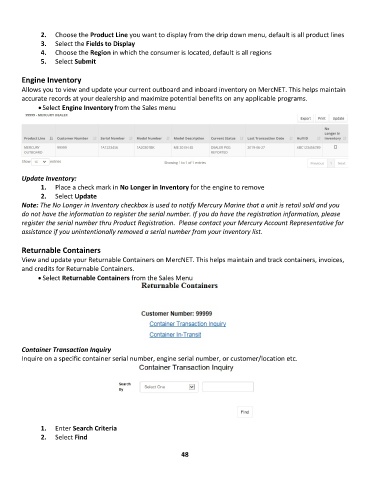
        Allows you to view and update your current outboard and inboard inventory on MercNET. This helps maintain
        accurate records at your dealership and maximize potential benefits on any applicable programs.
              • Select Engine Inventory from the Sales menu


        Update Inventory:
               1.  Place a check mark in No Longer in Inventory for the engine to remove
               2.  Select Update
        Note: The No Longer in Inventory checkbox is used to notify Mercury Marine that a unit is retail sold and you
        do not have the information to register the serial number. If you do have the registration information, please
        register the serial number thru Product Registration.  Please contact your Mercury Account Representative for
        assistance if you unintentionally removed a serial number from your inventory list.

        Returnable Containers
        View and update your Returnable Containers on MercNET. This helps maintain and track containers, invoices,
        and credits for Returnable Containers.
              • Select Returnable Containers from the Sales Menu


        Container Transaction Inquiry
        Inquire on a specific container serial number, engine serial number, or customer/location etc.


               1.  Enter Search Criteria
               2.  Select Find

                                                             48

