


Page 56 - MercNET User's Guide
P. 56
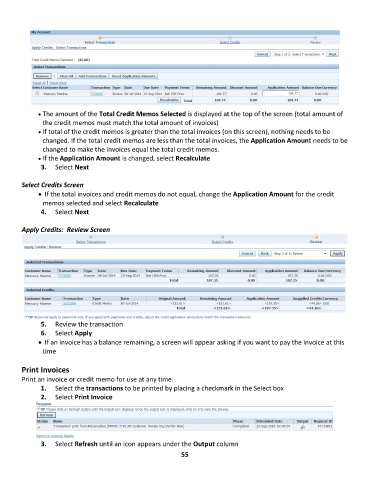
• •   The amount of the Total Credit Memos Selected is displayed at the top of the screen (total amount of
               the credit memos must match the total amount of invoices)
              • •   If total of the credit memos is greater than the total invoices (on this screen), nothing needs to be
               changed. If the total credit memos are less than the total invoices, the Application Amount needs to be
               changed to make the invoices equal the total credit memos.
              • •   If the Application Amount is changed, select Recalculate
               3.  Select Next

        Select Credits Screen
              • •    If the total invoices and credit memos do not equal, change the Application Amount for the credit
               memos selected and select Recalculate
               4.  Select Next

        Apply Credits:  Review Screen


               5.  Review the transaction
               6.  Select Apply
              • •    If an invoice has a balance remaining, a screen will appear asking if you want to pay the invoice at this
               time

        Print Invoices
        Print an invoice or credit memo for use at any time.
               1.  Select the transactions to be printed by placing a checkmark in the Select box
               2.  Select Print Invoice


               3.  Select Refresh until an icon appears under the Output column
                                                             55

