


Page 58 - MercNET User's Guide
P. 58
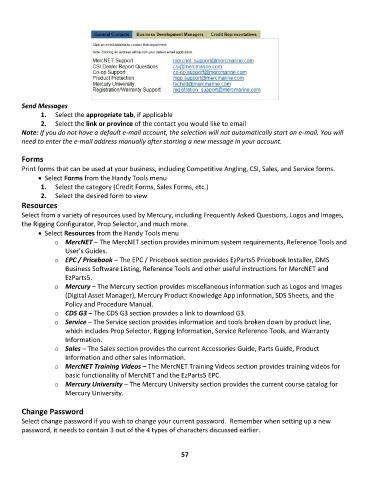
Send Messages
               1.  Select the appropriate tab, if applicable
               2.  Select the link or province of the contact you would like to email
        Note: If you do not have a default e-mail account, the selection will not automatically start an e-mail. You will
        need to enter the e-mail address manually after starting a new message in your account.

        Forms
        Print forms that can be used at your business, including Competitive Angling, CSI, Sales, and Service forms.
              • •    Select Forms from the Handy Tools menu
               1.  Select the category (Credit Forms, Sales Forms, etc.)
               2.  Select the desired form to view
        Resources
        Select from a variety of resources used by Mercury, including Frequently Asked Questions, Logos and Images,
        the Rigging Configurator, Prop Selector, and much more.
              • •    Select Resources from the Handy Tools menu
                   o  MercNET – The MercNET section provides minimum system requirements, Reference Tools and
                       User’s Guides.
                   o  EPC / Pricebook – The EPC / Pricebook section provides EzParts5 Pricebook Installer, DMS
                       Business Software Listing, Reference Tools and other useful instructions for MercNET and
                       EzParts5.
                   o  Mercury – The Mercury section provides miscellaneous information such as Logos and Images
                       (Digital Asset Manager), Mercury Product Knowledge App information, SDS Sheets, and the
                       Policy and Procedure Manual.
                   o  CDS G3 – The CDS G3 section provides a link to download G3.
                   o  Service – The Service section provides information and tools broken down by product line,
                       which includes Prop Selector, Rigging Information, Service Reference Tools, and Warranty
                       Information.
                   o  Sales – The Sales section provides the current Accessories Guide, Parts Guide, Product
                       Information and other sales information.
                   o  MercNET Training Videos – The MercNET Training Videos section provides training videos for
                       basic functionality of MercNET and the EzParts5 EPC.
                   o  Mercury University – The Mercury University section provides the current course catalog for
                       Mercury University.

        Change Password
        Select change password if you wish to change your current password.  Remember when setting up a new
        password, it needs to contain 3 out of the 4 types of characters discussed earlier.


                                                             57

