


Page 13 - Installation Manual - GenII DTS
P. 13
Panel Mount ERC
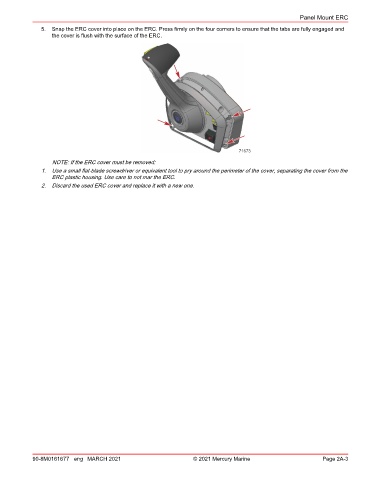
               5.  Snap the ERC cover into place on the ERC. Press firmly on the four corners to ensure that the tabs are fully engaged and
                  the cover is flush with the surface of the ERC.


                                                                                71673
                  NOTE: If the ERC cover must be removed:
               1.  Use a small flat‑blade screwdriver or equivalent tool to pry around the perimeter of the cover, separating the cover from the
                  ERC plastic housing. Use care to not mar the ERC.
               2.  Discard the used ERC cover and replace it with a new one.


            90-8M0161677 eng MARCH 2021                          © 2021 Mercury Marine                      Page 2A-3

