


Page 145 - Installation Manual - GenII DTS
P. 145
DTS System Configuration
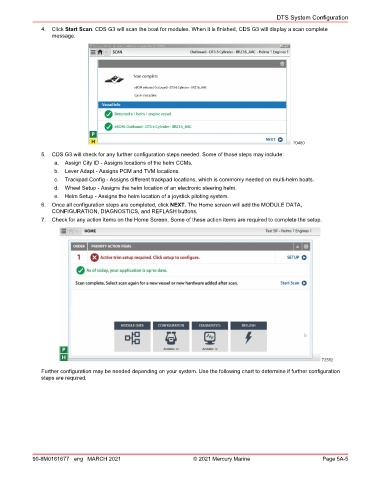
               4.  Click Start Scan. CDS G3 will scan the boat for modules. When it is finished, CDS G3 will display a scan complete
                  message.


                                                                                                  70480
               5.  CDS G3 will check for any further configuration steps needed. Some of those steps may include:
                   a.  Assign City ID ‑ Assigns locations of the helm CCMs.
                   b.  Lever Adapt ‑ Assigns PCM and TVM locations.
                   c.  Trackpad Config ‑ Assigns different trackpad locations, which is commonly needed on multi‑helm boats.
                   d.  Wheel Setup ‑ Assigns the helm location of an electronic steering helm.
                   e.  Helm Setup ‑ Assigns the helm location of a joystick piloting system.
               6.  Once all configuration steps are completed, click NEXT. The Home screen will add the MODULE DATA,
                  CONFIGURATION, DIAGNOSTICS, and REFLASH buttons.
               7.  Check for any action items on the Home Screen. Some of these action items are required to complete the setup.


                                                                                                           72552
               Further configuration may be needed depending on your system. Use the following chart to determine if further configuration
               steps are required.


            90-8M0161677 eng MARCH 2021                          © 2021 Mercury Marine                      Page 5A-5

