


Page 144 - Installation Manual - GenII DTS
P. 144
DTS System Configuration

           NOTE: Each SmartCraft diagnostic interface is identified by its serial number in the software. If multiple cables are used on the
           same laptop, the port mapping may be incorrect for the serial number cable you currently have connected. If the indicator is
           green, the cable is communicating properly with the CDS G3 program and the CAN bus it is mapped to.
           Is the SmartCraft diagnostic interface’s PWR LED illuminated continuously? This indicates the cable is recognized by the
           computer and is communicating with the computer.
           With the key switch in the ON position, is the BUS 1 LED illuminated on the SmartCraft diagnostic interface? If it is off,
           the cable is not communicating on the CAN P bus. Verify proper CAN P bus termination and operation.
           If CDS G3 does not communicate with the system:
           1.  Ensure that the key is in the ON position, and that the boat's gauges light up. If there is no gauge activity, no warning horn
               self test, or no other indication that the boat is powering up, troubleshoot accordingly.
           2.  Ensure that the SmartCraft diagnostic interface is properly connected. Check the
               •   USB port on the computer
               •   10‑pin CAN connector at the engine or helm
               •   Terminator adapter cable used when needed to provide proper CAN P and H termination
           3.  Unplug the diagnostic interface at both ends, wait a few minutes, and plug it in again.
           4.  Try rebooting your computer after all the connections have been made.
           5.  If this does not resolve the issue, contact Mercury Product Support.
        Helm Setup
           Most ERCs and LCMs are programmed from the factory with base DTS software. Adding features or hardware may require the
           ERC or LCM to be reprogrammed by the CDS G3 service tool. Once all components have been installed, connect the CDS G3
           service tool to determine if there are any updates or remaining setup steps to be completed.
        Getting Started

           1.  Plug the SmartCraft interface cable into the USB port on the CDS G3 computer.
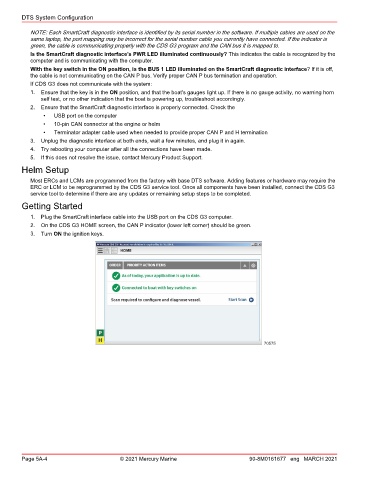
           2.  On the CDS G3 HOME screen, the CAN P indicator (lower left corner) should be green.
           3.  Turn ON the ignition keys.


                                                                                        70575


        Page 5A-4                        © 2021 Mercury Marine                      90-8M0161677 eng MARCH 2021

