


Page 78 - Computing book 6
P. 78
Handling Databases – MS Access                                                       Class 6


                   •  In the next window name your report as per your preference, below this option you will see
                       an option for preview and modification select the Preview option and click finish.
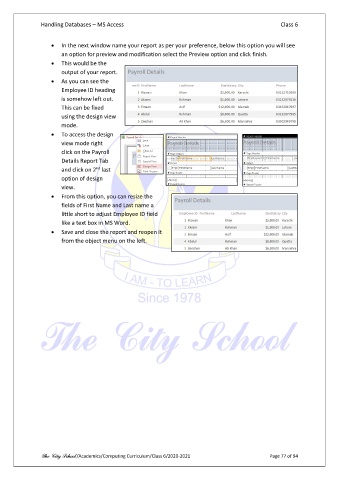
                   •  This would be the
                       output of your report.
                   •  As you can see the
                       Employee ID heading
                       is somehow left out.
                       This can be fixed
                       using the design view
                       mode.
                   •  To access the design
                       view mode right
                       click on the Payroll
                       Details Report Tab
                                   nd
                       and click on 2  last
                       option of design
                       view.
                   •  From this option, you can resize the
                       fields of First Name and Last name a
                       little short to adjust Employee ID field
                       like a text box in MS Word.
                   •  Save and close the report and reopen it
                       from the object menu on the left.


               The City School /Academics/Computing Curriculum/Class 6/2020-2021                Page 77 of 94

