


Page 57 - Computing Book 5
P. 57
Desktop Publishing                                                                   Class 5


               Create a New Document:

               Create a brand-new document:
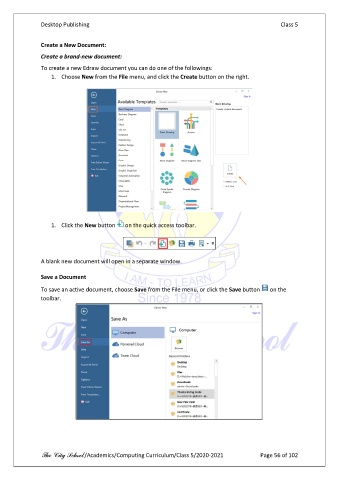
               To create a new Edraw document you can do one of the followings:
                   1.  Choose New from the File menu, and click the Create button on the right.


                   1.  Click the New button    on the quick access toolbar.


               A blank new document will open in a separate window.

               Save a Document

               To save an active document, choose Save from the File menu, or click the Save button    on the
               toolbar.


               The City School /Academics/Computing Curriculum/Class 5/2020-2021            Page 56 of 102

