


Page 55 - Computing Book 5
P. 55
Desktop Publishing                                                                   Class 5


               EDraw Max Interface:

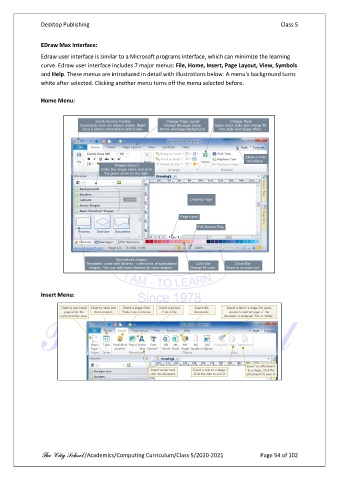
               Edraw user interface is similar to a Microsoft programs interface, which can minimize the learning
               curve. Edraw user interface includes 7 major menus: File, Home, Insert, Page Layout, View, Symbols
               and Help. These menus are introduced in detail with illustrations below. A menu's background turns
               white after selected. Clicking another menu turns off the menu selected before.

               Home Menu:


               Insert Menu:


               The City School /Academics/Computing Curriculum/Class 5/2020-2021            Page 54 of 102

