


Page 60 - Computing Book 5
P. 60
Desktop Publishing                                                                   Class 5


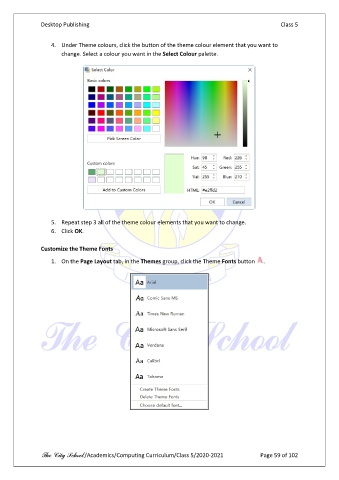
                   4.  Under Theme colours, click the button of the theme colour element that you want to
                       change. Select a colour you want in the Select Colour palette.


                   5.  Repeat step 3 all of the theme colour elements that you want to change.
                   6.  Click OK.

               Customize the Theme Fonts

                   1.  On the Page Layout tab, in the Themes group, click the Theme Fonts button   .


               The City School /Academics/Computing Curriculum/Class 5/2020-2021            Page 59 of 102

