


Page 52 - Computing Book 5
P. 52
Presenting Your Ideas                                                                Class 5


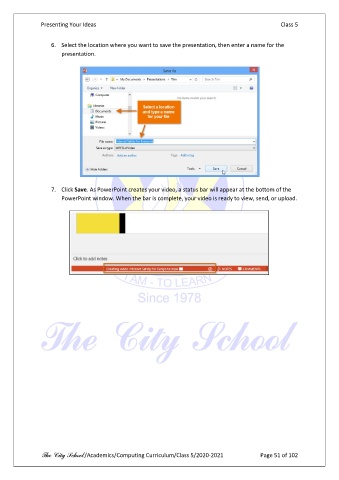
                   6.  Select the location where you want to save the presentation, then enter a name for the
                       presentation.


                   7.  Click Save. As PowerPoint creates your video, a status bar will appear at the bottom of the
                       PowerPoint window. When the bar is complete, your video is ready to view, send, or upload.


               The City School /Academics/Computing Curriculum/Class 5/2020-2021            Page 51 of 102

