


Page 76 - Computing Book 5
P. 76
Analysing Data                                                                       Class 5


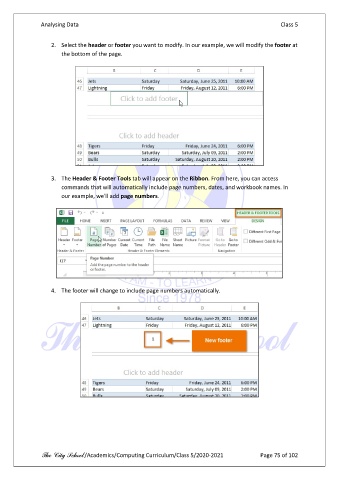
                   2.  Select the header or footer you want to modify. In our example, we will modify the footer at
                       the bottom of the page.


                   3.  The Header & Footer Tools tab will appear on the Ribbon. From here, you can access
                       commands that will automatically include page numbers, dates, and workbook names. In
                       our example, we'll add page numbers.


                   4.  The footer will change to include page numbers automatically.


               The City School /Academics/Computing Curriculum/Class 5/2020-2021            Page 75 of 102

