


Page 6 - Genius PBD English Year 4 (TE)
P. 6
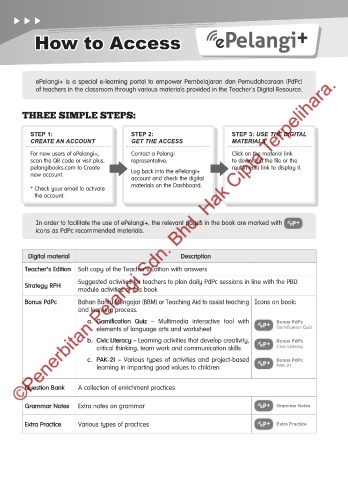
How to Access


            ePelangi+ is a special e-learning portal to empower Pembelajaran dan Pemudahcaraan (PdPc)
            of teachers in the classroom through various materials provided in the Teacher’s Digital Resource.


        THREE SIMPLE STEPS:


          STEP 1:                         STEP 2:                        STEP 3: USE THE DIGITAL
          CREATE AN ACCOUNT               GET THE ACCESS                 MATERIALS

          For new users of ePelangi+,     Contact a Pelangi              Click on the material link
          scan the QR code or visit plus.  representative.               to download the file or the
          pelangibooks.com to Create                                     multimedia link to display it.
          new account.                    Log back into the ePelangi+
                                          account and check the digital
                                          materials on the Dashboard.
          *  Check your email to activate
            the account.


            In order to facilitate the use of ePelangi+, the relevant pages in the book are marked with
            icons as PdPc recommended materials.


          Digital material                               Description
         Teacher’s Edition  Soft copy of the Teacher’s Edition with answers

                         Suggested activities for teachers to plan daily PdPc sessions in line with the PBD
         Strategy RPH
                         module activities of this book
         Bonus PdPc      Bahan Bantu Mengajar (BBM) or Teaching Aid to assist teaching  Icons on book:
                         and learning process.
                            a.  Gamification  Quiz  –  Multimedia  interactive  tool  with   Bonus PdPc
                               elements of language arts and worksheet                Gamification Quiz
                            b.  Civic Literacy – Learning activities that develop creativity,   Bonus PdPc
                               critical thinking, team work and communication skills  Civic Literacy

                            c.  PAK-21  –  Various  types  of  activities  and  project-based   Bonus PdPc
                               learning in imparting good values to children          PAK-21


         Question Bank   A collection of enrichment practices


         Grammar Notes   Extra notes on grammar                                       Grammar Notes

         Extra Practice  Various types of practices                                   Extra Practice


 00 IFC_Cara Mengakses.indd   1                                                               13/10/2022   3:10 PM

