


Page 14 - Employee Navigator Guide
P. 14
How to Add a Document


               Step 1: Login to your Employee Navigator account by following the link below:

               https://www.employeenavigator.com/benefits/Login.aspx

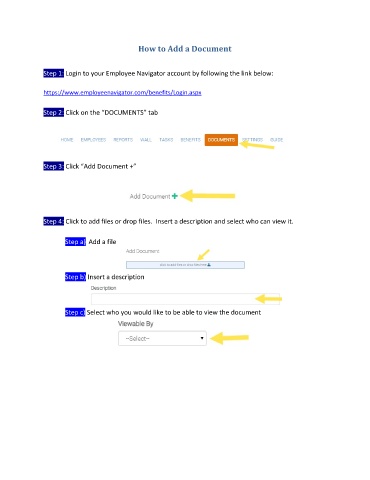
               Step 2: Click on the “DOCUMENTS” tab


               Step 3: Click “Add Document +”


               Step 4: Click to add files or drop files.  Insert a description and select who can view it.

                       Step a)  Add a file


                       Step b) Insert a description


                       Step c) Select who you would like to be able to view the document

