


Page 34 - TCS ICT Book 8
P. 34
The City School  2021-2022


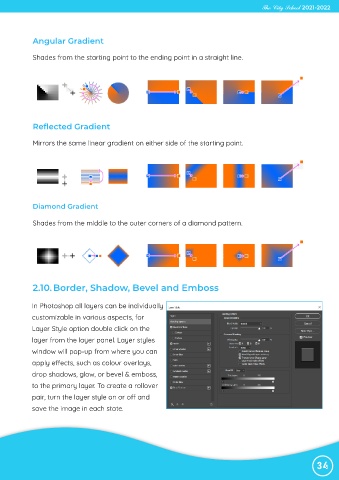
             Angular Gradient

             Shades from the starting point to the ending point in a straight line.


             Reflected Gradient


             Mirrors the same linear gradient on either side of the starting point.


             Diamond Gradient


             Shades from the middle to the outer corners of a diamond pattern.


             2.10. Border, Shadow, Bevel and Emboss


            In Photoshop all layers can be individually
            customizable in various aspects, for

            Layer Style option double click on the
            layer from the layer panel. Layer styles

            window will pop-up from where you can
            apply effects, such as colour overlays,

            drop shadows, glow, or bevel & emboss,
            to the primary layer. To create a rollover

            pair, turn the layer style on or off and
            save the image in each state.


                                                                                                                34

