


Page 70 - TCS ICT Book 8
P. 70
The City School  2021-2022


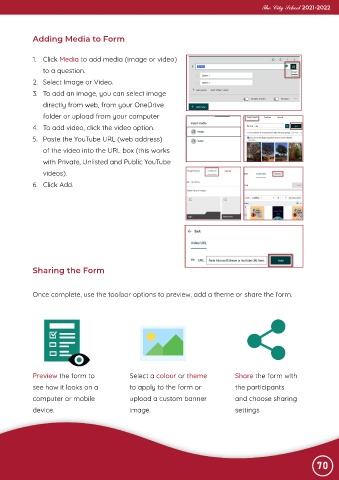
             Adding Media to Form


             1.  Click Media to add media (image or video)
                to a question.

             2.  Select Image or Video.
             3.  To add an image, you can select image

                directly from web, from your OneDrive
                folder or upload from your computer

             4.  To add video, click the video option.
             5.  Paste the YouTube URL (web address)

                of the video into the URL box (this works
                with Private, Unlisted and Public YouTube

                videos).
             6.  Click Add.


             Sharing the Form


             Once complete, use the toolbar options to preview, add a theme or share the form.


             Preview the form to               Select a colour or theme             Share the form with

             see how it looks on a             to apply to the form or              the participants
             computer or mobile                upload a custom banner               and choose sharing

             device.                           image.                               settings


                                                                                                                70

