


Page 69 - TCS ICT Book 8
P. 69
The City School  2021-2022


             Accessing Forms


             1.  Open a web browser and go to
                https://forms.office.com/

             2.  Log in with your email address
                and password.

             Creating a New Form


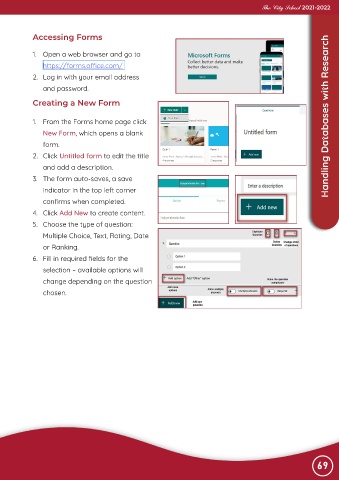
             1.  From the Forms home page click                                                    Advance Imaging  Handling Databases with Research
                New Form, which opens a blank
                form.

             2.  Click Untitled form to edit the title

                and add a description.
             3.  The form auto-saves, a save
                indicator in the top left corner

                confirms when completed.

             4.  Click Add New to create content.
             5.  Choose the type of question:
                Multiple Choice, Text, Rating, Date

                or Ranking.

             6.  Fill in required fields for the
                selection – available options will
                change depending on the question

                chosen.


                                                                                                                69

