


Page 67 - TCS ICT Book 8
P. 67
The City School  2021-2022


             Importing Data in MS Access


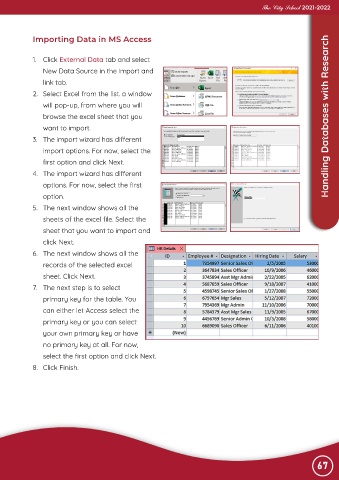
             1.  Click External Data tab and select
                New Data Source in the import and

                link tab.
             2.  Select Excel from the list. a window

                will pop-up, from where you will
                browse the excel sheet that you                                                    Advance Imaging  Handling Databases with Research

                want to import.
             3.  The import wizard has different

                import options. For now, select the
                first option and click Next.

             4.  The import wizard has different
                options. For now, select the first

                option.
             5.  The next window shows all the

                sheets of the excel file. Select the
                sheet that you want to import and

                click Next.
             6.  The next window shows all the

                records of the selected excel
                sheet. Click Next.

             7.  The next step is to select
                primary key for the table. You

                can either let Access select the
                primary key or you can select

                your own primary key or have
                no primary key at all. For now,

                select the first option and click Next.
             8.  Click Finish.


                                                                                                                67

