


Page 82 - TCS ICT Book 5
P. 82
The City School  2021-2022


           Save a Document Theme

           Any changes that you make to the colours, the fonts, or the line and fill effects of a

           document theme can be saved as a custom document theme that you can apply to other

           documents.
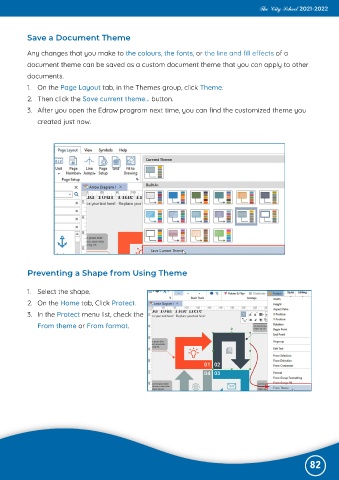
           1.  On the Page Layout tab, in the Themes group, click Theme.
           2.  Then click the Save current theme... button.

           3.  After you open the Edraw program next time, you can find the customized theme you

              created just now.


           Preventing a Shape from Using Theme


           1.  Select the shape.
           2.  On the Home tab, Click Protect.

           3.  In the Protect menu list, check the
              From theme or From format.


                                                                                                              82

