


Page 87 - TCS ICT Book 5
P. 87
The City School  2021-2022


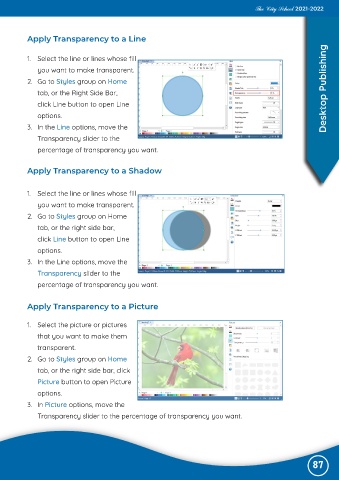
           Apply Transparency to a Line


           1.  Select the line or lines whose fill
              you want to make transparent.

           2.  Go to Styles group on Home
              tab, or the Right Side Bar,                                                                           Desktop Publishing

              click Line button to open Line
              options.

           3.  In the Line options, move the
              Transparency slider to the

              percentage of transparency you want.


           Apply Transparency to a Shadow


           1.  Select the line or lines whose fill

              you want to make transparent.
           2.  Go to Styles group on Home

              tab, or the right side bar,
              click Line button to open Line

              options.
           3.  In the Line options, move the

              Transparency slider to the
              percentage of transparency you want.


           Apply Transparency to a Picture


           1.  Select the picture or pictures
              that you want to make them

              transparent.

           2.  Go to Styles group on Home
              tab, or the right side bar, click
              Picture button to open Picture

              options.

           3.  In Picture options, move the
              Transparency slider to the percentage of transparency you want.


                                                                                                               87

