


Page 83 - TCS ICT Book 5
P. 83
The City School  2021-2022


                          Quick Tip
                                                                                                                    Desktop Publishing
                     You can modify the theme name, theme font name in the

                     Themes.xml and ThemeFonts.xml. (Find the two files in the
                     install folder\Config\)


           3.9.  Set Margins


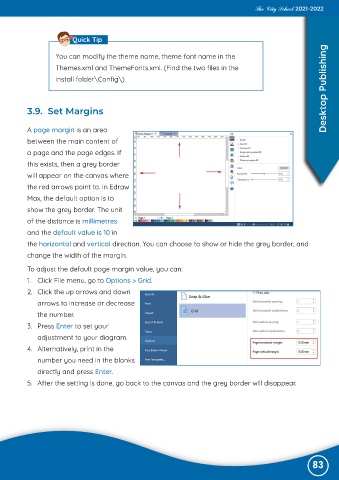
           A page margin is an area

           between the main content of
           a page and the page edges. If

           this exists, then a grey border
           will appear on the canvas where

           the red arrows point to. In Edraw
           Max, the default option is to

           show the grey border. The unit
           of the distance is millimetres

           and the default value is 10 in
           the horizontal and vertical direction. You can choose to show or hide the grey border, and

           change the width of the margin.

           To adjust the default page margin value, you can:
           1.  Click File menu, go to Options > Grid.

           2.  Click the up arrows and down
              arrows to increase or decrease

              the number.
           3.  Press Enter to set your

              adjustment to your diagram.
           4.  Alternatively, print in the

              number you need in the blanks
              directly and press Enter.

           5.  After the setting is done, go back to the canvas and the grey border will disappear.


                                                                                                               83

