


Page 13 - TCS ICT Book 4
P. 13
The City School  2021-2022


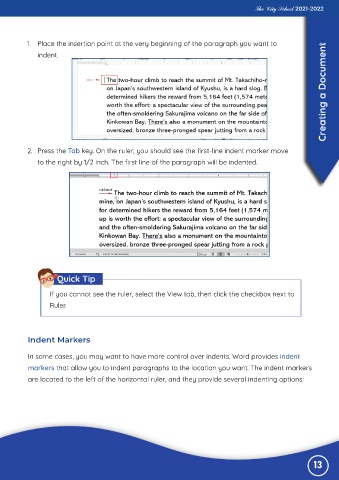
           1.  Place the insertion point at the very beginning of the paragraph you want to
                                                                                                                   Creating a Document
              indent.


           2.  Press the Tab key. On the ruler, you should see the first-line indent marker move
              to the right by 1/2 inch. The first line of the paragraph will be indented.


                     Quick Tip

                  If you cannot see the ruler, select the View tab, then click the checkbox next to

                  Ruler.


           Indent Markers


           In some cases, you may want to have more control over indents. Word provides indent

           markers that allow you to indent paragraphs to the location you want. The indent markers
           are located to the left of the horizontal ruler, and they provide several indenting options:


                                                                                                               13

