


Page 15 - TCS ICT Book 4
P. 15
The City School  2021-2022


           1.5.  Columns in a Document


           Sometimes the information you include in your document is best displayed in
           columns. Not only can columns help improve readability, but some types of
           documents—like newspaper articles, newsletters, and flyers—are often written in

           column format. Word also allows you to adjust your columns by adding column                             Creating a Document

           breaks.


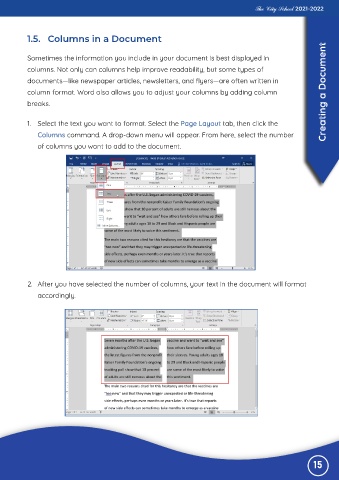
           1.  Select the text you want to format. Select the Page Layout tab, then click the
              Columns command. A drop-down menu will appear. From here, select the number

              of columns you want to add to the document.


           2.  After you have selected the number of columns, your text in the document will format

              accordingly.


                                                                                                               15

