


Page 14 - TCS ICT Book 4
P. 14
The City School  2021-2022


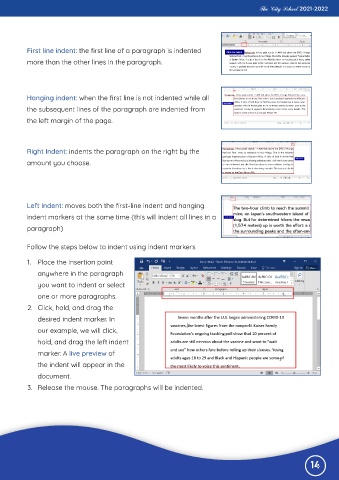
           First line indent: the first line of a paragraph is indented
           more than the other lines in the paragraph.


          Hanging indent: when the first line is not indented while all

          the subsequent lines of the paragraph are indented from
          the left margin of the page.


          Right Indent: indents the paragraph on the right by the
          amount you choose.


          Left Indent: moves both the first-line indent and hanging
          indent markers at the same time (this will indent all lines in a

          paragraph)


          Follow the steps below to indent using indent markers

           1.  Place the insertion point

              anywhere in the paragraph
              you want to indent or select

              one or more paragraphs.
           2.  Click, hold, and drag the

              desired indent marker. In
              our example, we will click,

              hold, and drag the left indent
              marker. A live preview of

              the indent will appear in the
              document.

           3.  Release the mouse. The paragraphs will be indented.


                                                                                                              14

