


Page 47 - TCS ICT Book 4
P. 47
The City School  2021-2022


           Insert Hyperlink to Another Slide


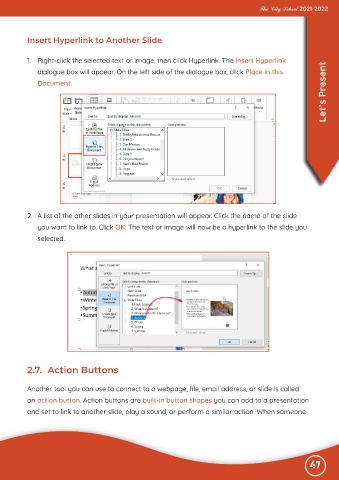
           1.  Right-click the selected text or image, then click Hyperlink. The Insert Hyperlink
                                                                                                                   Let’s Present
              dialogue box will appear. On the left side of the dialogue box, click Place in this
              Document.


           2.  A list of the other slides in your presentation will appear. Click the name of the slide

              you want to link to. Click OK. The text or image will now be a hyperlink to the slide you
              selected.


           2.7.  Action Buttons


           Another tool you can use to connect to a webpage, file, email address, or slide is called
           an action button. Action buttons are built-in button shapes you can add to a presentation

           and set to link to another slide, play a sound, or perform a similar action. When someone


                                                                                                              47

