


Page 48 - TCS ICT Book 4
P. 48
The City School  2021-2022


           clicks or moves over the button, the selected action will occur. Action buttons can do many
           of the same things as hyperlinks.

           You can insert action buttons on one slide at a time, or you can insert an action button
           that will show up on every slide. The second option can be useful if you want every slide

           to link back to a specific slide, like the title page or table of contents. To insert an Action
           Button:


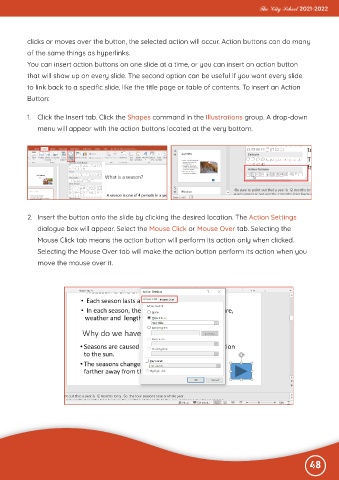
           1.  Click the Insert tab. Click the Shapes command in the Illustrations group. A drop-down

              menu will appear with the action buttons located at the very bottom.


           2.  Insert the button onto the slide by clicking the desired location. The Action Settings

              dialogue box will appear. Select the Mouse Click or Mouse Over tab. Selecting the

              Mouse Click tab means the action button will perform its action only when clicked.
              Selecting the Mouse Over tab will make the action button perform its action when you
              move the mouse over it.


                                                                                                              48

