


Page 45 - TCS ICT Book 4
P. 45
The City School  2021-2022


           2.6.  Working with Hyperlinks


           Whenever you use the Internet, you
           use hyperlinks to navigate from one
           webpage to another. If you want to

           include a web address or email address                                                                  Let’s Present

           in your PowerPoint presentation, you                  According to research, 47%
                                                                 of presenters put in more
           can choose to format it as a hyperlink                than 8 hours into designing
           so a person can easily click it. It is also           their presentations.

           possible to link to files and other slides

           within a presentation. It is easy to do all of this using two tools: hyperlinks and action
           buttons.
           Hyperlinks have two basic parts: the address of the webpage, email address, or

           other location they are linking to, and the display text (which can also be a picture or

           shape). To insert hyperlink in the slide, follow the steps below:


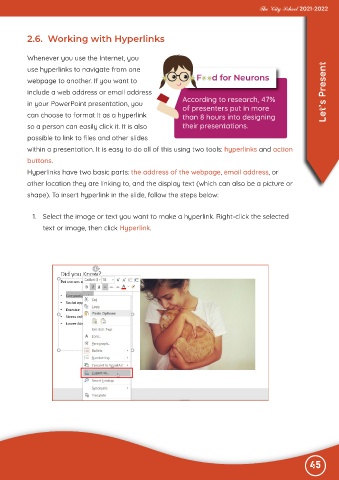
            1.  Select the image or text you want to make a hyperlink. Right-click the selected

                text or image, then click Hyperlink.


                                                                                                              45

