


Page 50 - TCS ICT Book 4
P. 50
The City School  2021-2022


           Changing Appearance of an Action Button


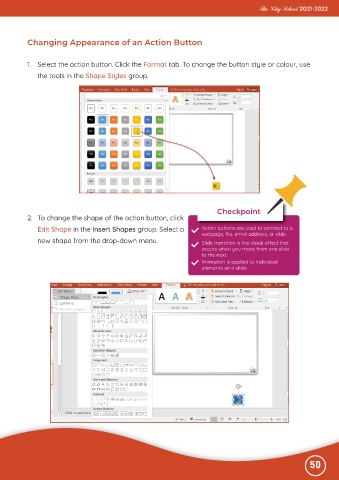
           1.  Select the action button. Click the Format tab. To change the button style or colour, use
              the tools in the Shape Styles group.


                                                                             Checkpoint
           2.  To change the shape of the action button, click
              Edit Shape in the Insert Shapes group. Select a           Action buttons are used to connect to a
                                                                        webpage, file, email address, or slide.
              new shape from the drop-down menu.                        Slide transition is the visual effect that
                                                                        occurs when you move from one slide
                                                                        to the next.
                                                                        Animation is applied to individual
                                                                        elements on a slide.


                                                                                                              50

