


Page 33 - TCS ICT Book 7
P. 33
The City School  2021-2022


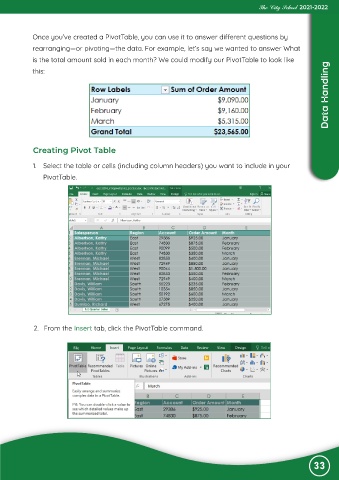
            Once you’ve created a PivotTable, you can use it to answer different questions by
            rearranging—or pivoting—the data. For example, let’s say we wanted to answer What

            is the total amount sold in each month? We could modify our PivotTable to look like
                                                                                                                    Data Handling
            this:


             Creating Pivot Table

             1.  Select the table or cells (including column headers) you want to include in your

                PivotTable.


             2.  From the Insert tab, click the PivotTable command.


                                                                                                               33

