


Page 233 - Learn To Program With Scratch
P. 233
Problems
                          1.  Write a program that asks the user to enter a word and then says that
                             word N times, where N is the number of letters in the input word.
                          2.  Write a program that asks the user to enter a word. The program then
                             determines the number of occurrences of the letter a in the input word.
                          3.  Write a program that reads a singular English noun from the user. The
                             program then produces the plural form of that noun. (Hint: Check
                             the last letter and the second from the last letter of the input word.) To
                             keep the program simple, consider only the following rule: If the word
                             ends in ch, x, or s, add es for the plural, otherwise just add an s.
                          4.  Write a program that reads a single character (between a and z) from
                             the user and outputs the position of that character in the alphabet
                             (a = 1, b = 2, c = 3, and so on). Uppercase letters and lowercase letters
                             should be treated the same. (Hint: Define a variable named alpha that
                             holds the letters of the alphabet, as we did in Figure 8-9, and then use
                             a loop to find the position of the input character within the variable
                             alpha.)
                          5.  Write a program that asks the user to enter a letter of the alphabet and
                             then displays the letter that precedes the input letter. (Hint: Use the
                             same technique used in the previous problem.)
                          6.  Write a program that reads a positive integer from the user then finds
                             and displays the sum of its digits. For example, if the user enters 3582,
                             the program should display 18 (3 + 5 + 8 + 2).
                          7.  Write a program that reads a word from the user and then displays the
                             letters in reverse using the say block.
                          8.  Write a program that gets a number from the user and then inserts a
                             space between each pair of digits. For example, if the input number is
                             1234, the output string should be 1 2 3 4. (Hint: Construct the output
                             variable by joining the individual letters from the input number with
                             white spaces.)
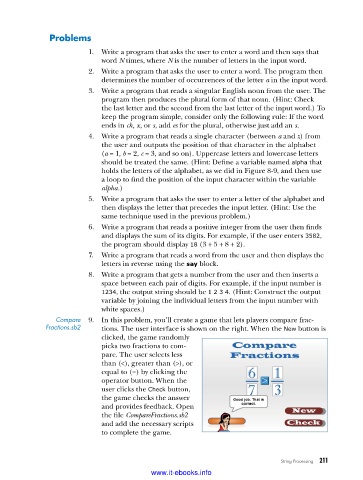
                 Compare   9.  In this problem, you’ll create a game that lets players compare frac-
              Fractions .sb2  tions. The user interface is shown on the right. When the New button is
                             clicked, the game randomly
                             picks two fractions to com-
                             pare. The user selects less
                             than (<), greater than (>), or
                             equal to (=) by clicking the
                             oper ator button. When the
                             user clicks the Check button,
                             the game checks the answer
                             and provides feedback. Open
                             the file CompareFractions.sb2
                             and add the necessary scripts
                             to complete the game.


                                                                               String Processing   211

                                           www.it-ebooks.info

