


Page 105 - Scratch Programming Playground
P. 105
Script makes the hoop slide to a new position every sec-
ond. a moving hoop will make the game more challenging to
play! Script plays the cheer sound and displays “Swoosh!”
when the swoosh broadcast is received. Later, we’ll make the
Basketball sprite broadcast this message when a basket is made.
6. Create the Hitbox Sprite
now let’s think about how to create code that determines
whether or not the player makes a basket. we could write a
program that checks whether the basketball is simply touching
the hoop. But because the hoop is so wide, just the edges of the
basketball touching the hoop would count as a basket. we
want the basket to count only if the basketball goes through
the middle of the hoop. we’ll have to think of a better fix.
If we simply checked whether
the basketball was touching the hoop,
this would count as a basket.
But that’s not how basketball works!
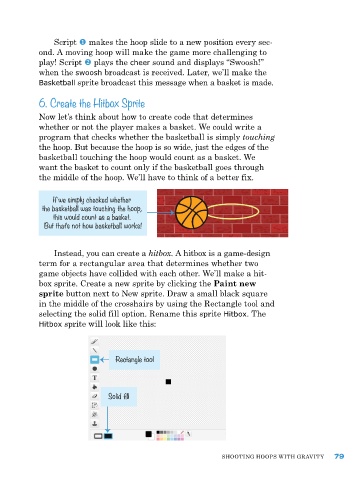
Instead, you can create a hitbox. a hitbox is a game-design
term for a rectangular area that determines whether two
game objects have collided with each other. we’ll make a hit-
box sprite. Create a new sprite by clicking the Paint new
sprite button next to new sprite. Draw a small black square
in the middle of the crosshairs by using the rectangle tool and
selecting the solid fill option. rename this sprite Hitbox. The
Hitbox sprite will look like this:
Rectangle tool
Solid fill
ShooTIng hoopS wITh gravITy 79

