


Page 104 - Scratch Programming Playground
P. 104
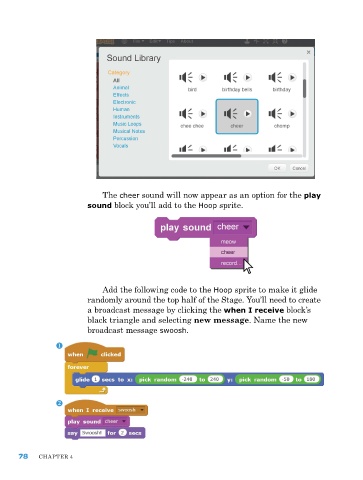
The cheer sound will now appear as an option for the play
                         sound block you’ll add to the Hoop sprite.


                             add the following code to the Hoop sprite to make it glide
                         randomly around the top half of the Stage. you’ll need to create
                         a broadcast message by clicking the when I receive block’s
                         black triangle and selecting new message. name the new
                         broadcast message swoosh.


      78    ChapTer 4

