


Page 189 - Scratch Programming Playground
P. 189
8. Create the Fruit Sprite

            Click the Choose sprite from
            library button next to New
            sprite, and select Apple from
            the Sprite library. then click
            OK. Click the new sprite’s
            button to open the Info area,
            and rename the sprite Fruit.
                Click the Fruit sprite’s
            Costumes tab. Click the
            Choose costume from
            library button next to New
            costume. add the banana
            costume. Click the button
            again and add the orange
            costume. then click the
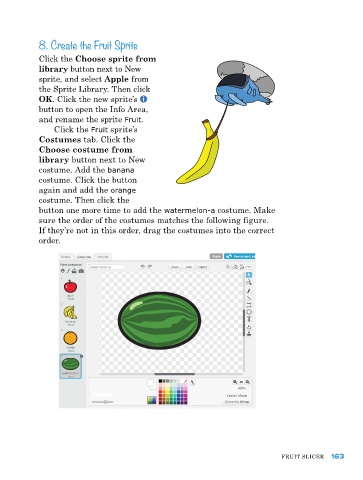
            button one more time to add the watermelon-a costume. Make
            sure the order of the costumes matches the following figure.
            If they’re not in this order, drag the costumes into the correct
            order.


                                                                               FruIt SlICer  163

