


Page 248 - Scratch Programming Playground
P. 248
C     Make the cat Jump
                                 High and low


                         With the walking code done, let’s
                         add jumping. In the Basketball
                         game, we changed the falling vari-
                         able to a positive number. this
                         meant that the player jumped the
                         height of that variable’s value each
                         time. But in many platform games,
                         the player can do a short jump by
                         pressing the jump button quickly
                         or jump higher by holding down the
                         jump button. We want to use high
                         and low jumping in this platform
                         game, so we’ll have to come up with
                         something a little more advanced
                         than the Basketball game’s jump-
                         ing code.

                         6. Add the Jumping Code

                         Let’s first create a for this sprite only variable named in air.
                         this variable will be set to 0 whenever the Cat sprite is on the
                         ground. But in air will start increasing when the Cat sprite is
                         jumping or falling. the larger the in air value is, the longer the
                         cat will have been off the ground and in the air.
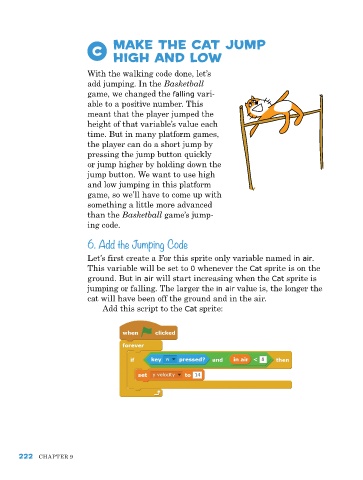
                              add this script to the Cat sprite:


      222   Chapter 9

