


Page 38 - Scratch Programming Playground
P. 38
The Tips Window


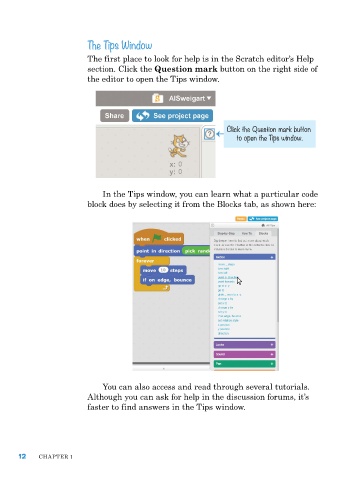
                         the first place to look for help is in the Scratch editor’s help
                         section. Click the Question mark button on the right side of
                         the editor to open the tips window.


                                                                Click the Question mark button
                                                                   to open the Tips window.


                             In the tips window, you can learn what a particular code
                         block does by selecting it from the Blocks tab, as shown here:


                             You can also access and read through several tutorials.
                         although you can ask for help in the discussion forums, it’s
                         faster to find answers in the tips window.


      12    Chapter 1

