


Page 44 - Scratch Programming Playground
P. 44
top of your screen to start making your own Scratch project.
                         Then click the text field in the top left to change the name
                         of the project from Untitled to Rainbow Lines. Let’s begin by
                         tackling part a of the sketch.


                           A     create the space
                                 backdrop


                         First, let’s clean up sprites we won’t use and set a background.
                         1. Clean Up and Set the Stage


                         every time you create a new Scratch project, you’ll see an
                         orange cat sprite on a blank, white Stage. we don’t need the
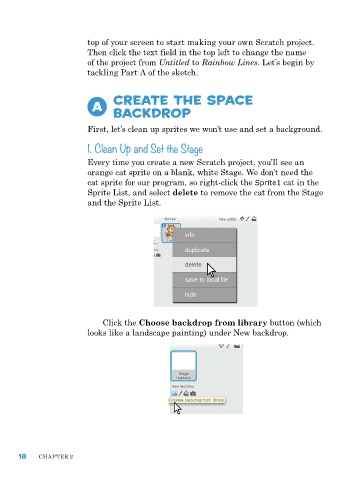
                         cat sprite for our program, so right-click the Sprite1 cat in the
                         Sprite List, and select delete to remove the cat from the Stage
                         and the Sprite List.


                             Click the Choose backdrop from library button (which
                         looks like a landscape painting) under new backdrop.


      18    ChapTer 2

