


Page 45 - Scratch Programming Playground
P. 45
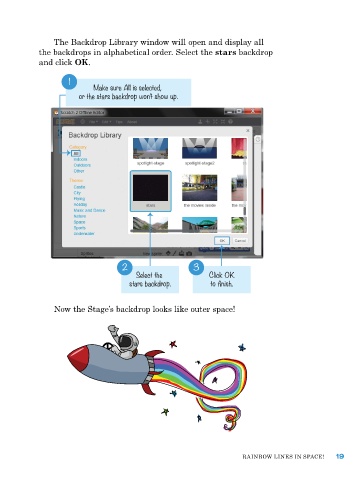
The Backdrop Library window will open and display all
            the backdrops in alphabetical order. Select the stars backdrop
            and click OK.

                    1
                           Make sure All is selected,
                       or the stars backdrop won’t show up.


                                   2                   3
                                       Select the          Click OK
                                     stars backdrop.       to finish.


                now the Stage’s backdrop looks like outer space!


                                                                    raInBow LIneS In SpaCe!   19

