


Page 95 - Scratch Programming Playground
P. 95
If you want to save time, you can start from the skeleton
            project file, named basketball-skeleton.sb2, in the resources
            ZIp file. go to https://www.nostarch.com/scratchplayground/
            and download the ZIp file to your computer by right-clicking
            the link and selecting Save link as or Save target as. extract
            all the files from the ZIp file. The skeleton project file has all
            the sprites already loaded, so you’ll only need to drag the code
            blocks into each sprite.


             A     Make the Cat Jump
                   and Fall


            Let’s start by adding gravity to make the cat jump up and
            fall down.

            1. Add the Gravity Code to the Cat Sprite

            Click the   button for the Sprite1 sprite to open its Info area.
            rename the sprite Cat, and then close the Info area. Then
            rename the program from Untitled to Basketball in the text
            field at the top of the Scratch editor.
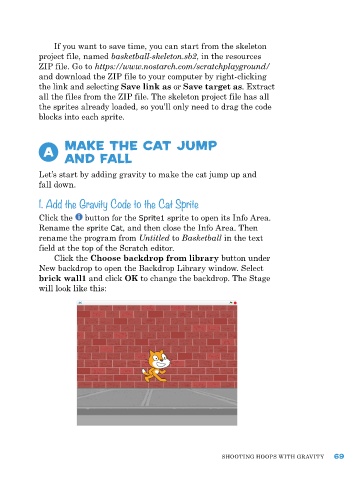
                Click the Choose backdrop from library button under
            new backdrop to open the Backdrop Library window. Select
            brick wall1 and click OK to change the backdrop. The Stage
            will look like this:


                                                               ShooTIng hoopS wITh gravITy    69

