


Page 182 - Basic Course
P. 182
KNX BASIC COURSE

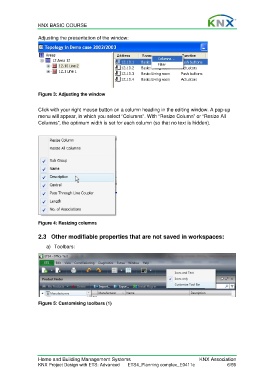
                  Adjusting the presentation of the window:


                  Figure 3: Adjusting the window


                  Click with your right mouse button on a column heading in the editing window. A pop-up
                  menu will appear, in which you select “Columns”. With “Resize Column” or “Resize All
                  Columns”, the optimum width is set for each column (so that no text is hidden).


                  Figure 4: Resizing columns


                  2.3  Other modifiable properties that are not saved in workspaces:

                      a) Toolbars:


                  Figure 5: Customising toolbars (1)


                  Home and Building Management Systems                                    KNX Association
                  KNX Project Design with ETS: Advanced   ETS4_Planning complex_E0411c                6/59

