


Page 185 - Basic Course
P. 185
KNX BASIC COURSE

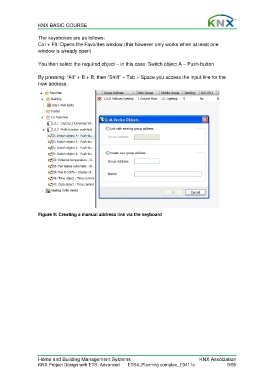
                  The keystrokes are as follows:
                  Ctrl + F9: Opens the Favorites window (this however only works when at least one
                  window is already open)

                  You then select the required object – in this case: Switch object A – Push-button

                  By pressing: “Alt” + B + B; then “Shift” + Tab + Space you access the input line for the
                  new address.


                  Figure 9: Creating a manual address link via the keyboard


                  Home and Building Management Systems                                    KNX Association
                  KNX Project Design with ETS: Advanced   ETS4_Planning complex_E0411c                9/59

