


Page 213 - Basic Course
P. 213
KNX BASIC COURSE

                  9.2  Group address check


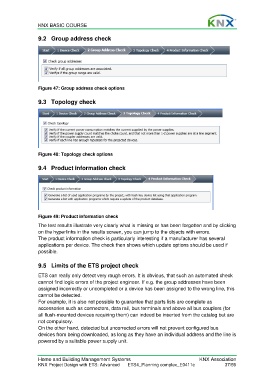
                  Figure 47: Group address check options

                  9.3 Topology check


                  Figure 48: Topology check options


                  9.4  Product information check


                  Figure 49: Product information check

                  The test results illustrate very clearly what is missing or has been forgotten and by clicking
                  on the hyperlinks in the results screen, you can jump to the objects with errors.
                  The product information check is particularly interesting if a manufacturer has several
                  applications per device. The check then shows which update options should be used if
                  possible.


                  9.5  Limits of the ETS project check

                  ETS can really only detect very rough errors. It is obvious, that such an automated check
                  cannot find logic errors of the project engineer. If e.g. the group addresses have been
                  assigned incorrectly or uncompleted or a device has been assigned to the wrong line, this
                  cannot be detected.
                  For example, it is also not possible to guarantee that parts lists are complete as
                  accessories such as connectors, data rail, bus terminals and above all bus couplers (for
                  all flush-mounted devices requiring them) can indeed be inserted from the catalog but are
                  not compulsory.
                  On the other hand, detected but uncorrected errors will not prevent configured bus
                  devices from being downloaded, as long as they have an individual address and the line is
                  powered by a suitable power supply unit.


                  Home and Building Management Systems                                    KNX Association
                  KNX Project Design with ETS: Advanced   ETS4_Planning complex_E0411c               37/59

