


Page 190 - Advanced Course
P. 190
KNX ADVANCED COURSE

                  Establishing the control characteristics for L1 and L2
                      Switch off the ambient lighting (artificial sun)
                      Dim the lighting to the required brightness value. Note that the window luminaire (L1)
                      requires a lower modulation (see also the sketch of the characteristic curve below).
                      Mark the group address ‘Calibration request’ and select the item “read/write…”. In the
                      telegram monitor then check if it is already online, otherwise connect to the bus first
                      before the next step !
                      Now be sure the selected group address still is selected; click on the “write” – button
                      and enter the value ‘1’ for control characteristic 1 (L1), then click on “OK”.
                      Change to the ‘Read value’ page and read out the status of the group address
                      ‘Dimming value for calibration’. Note the value.
                      Now read out the status of the group address ‘Brightness value for calibration’. Also
                      note this value.
                      Repeat the process for control characteristic 2 (L2).

                  An interpolation point of the two control characteristics is now known. Determine further
                  points (at least 3) with different ambient light values (simulated external brightness
                  values), whereby the last one should be carried out at the maximum brightness level of
                  the ‘artificial sun’. Your determined values (hex code) could look as follows:

                                    Characteristic 1                          Characteristic 2
                       Measured value of       Dimming value L1     Measured value     Dimming value
                            sensor                                     of sensor             L2
                             02A3                     FF                  02A3               B8
                             0651                     7A                  0651               4F
                             0F0A                     37                  0F0A               07
                             2714                     01                  2714               00

                  Converting the determined interpolation points of the characteristic curves

                      As only decimal values can be entered in the parameters for the interpolation points of
                      the characteristic curves, the determined hex values must be converted into decimal
                      values. To do so, use the calculator (scientific) in the ‘Programs’ folder under
                      ‘Accessories’.

                  Example:

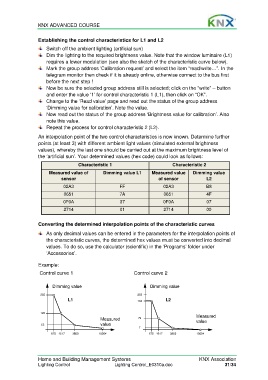
                   Control curve 1                           Control curve 2

                        Dimming value                               Dimming value

                   255                                        255
                               L1                             184          L2


                   122                                                                  Measured
                                              Measured        79                        value
                   55                         value
                                                               7
                        675  1617  3850      10004                 675  1617  3850      10004


                  Home and Building Management Systems                                    KNX Association
                  Lighting Control                  Lighting Control_E0310a.doc                      31/34

