


Page 87 - Client Coordinator
P. 87
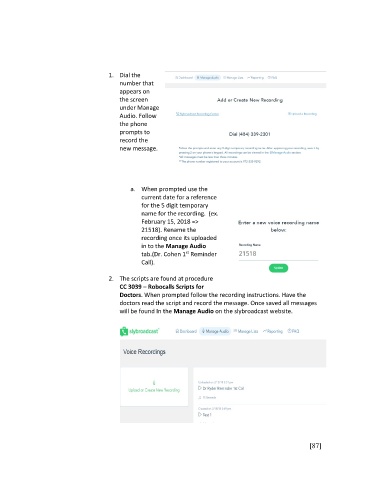
1.  Dial the
                                         number that
                                         appears on
                                         the screen
                                         under Manage
                                         Audio. Follow
                                         the phone
                                         prompts to
                                         record the
                                         new message.


                                            a.  When prompted use the
                                                current date for a reference
                                                for the 5 digit temporary
                                                name for the recording.  (ex.
                                                February 15, 2018 =>
                                                21518). Rename the
                                                recording once its uploaded
                                                in to the Manage Audio
                                                               st
                                                tab.(Dr. Cohen 1  Reminder
                                                Call).

                                     2.  The scripts are found at procedure
                                         CC 3039 – Robocalls Scripts for
                                         Doctors. When prompted follow the recording instructions. Have the
                                         doctors read the script and record the message. Once saved all messages
                                         will be found In the Manage Audio on the slybroadcast website.


                                                                                                       [87]

